


Chevy Infotainment Screen Broken? 5 Causes & Solutions
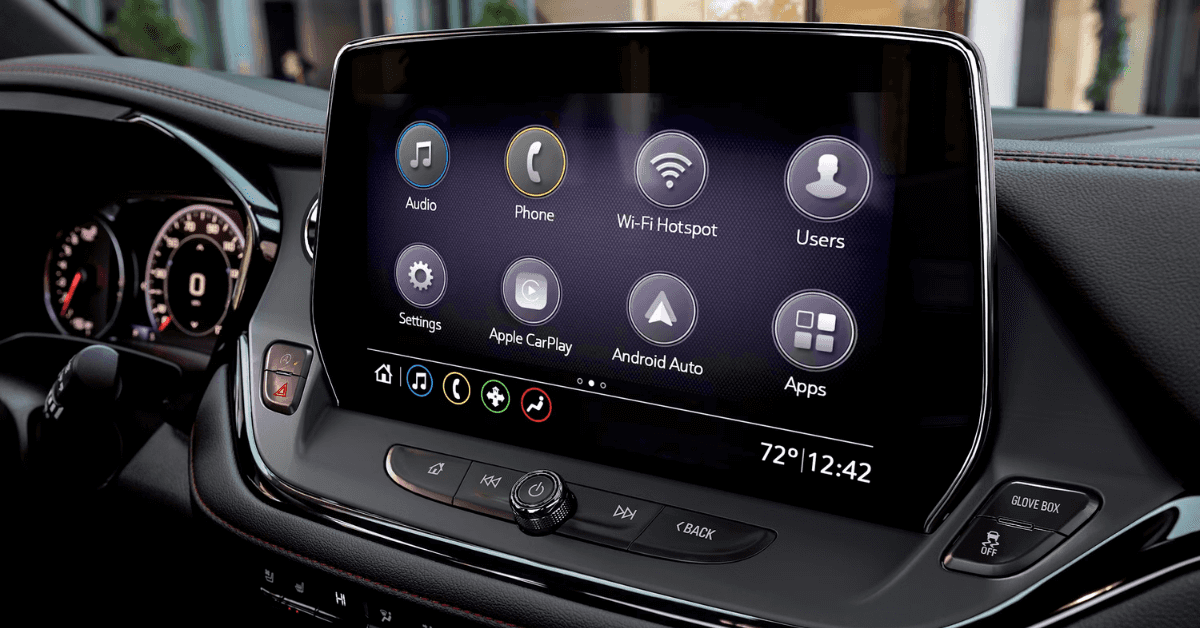
Is your Chevy’s infotainment screen acting up? Whether it’s frozen, black, glitchy, or completely unresponsive, you’re not alone—and you’re not out of options. The infotainment system is the digital brain of your vehicle, and when it breaks down, it can disrupt everything from your rearview camera to your music and navigation. This guide breaks down the five most common reasons your Chevy infotainment screen might stop working—and what you can do about it.
We’ll cover quick checks you can do at home, signs of deeper electrical problems, and when it’s time to let a professional step in. From blown fuses to failed software updates, this article is your step-by-step resource for diagnosing and solving infotainment issues in 2025 Chevy models.
If you’re in Flint, Grand Blanc, Davison, or Clarkston, the certified team at Applegate Chevrolet is here to help. Visit or contact us today for fast, factory-backed solutions that keep your screen—and your drive—running smooth.
1. Dealing with a Blank or Glitchy Chevy Infotainment Screen
If your Chevy infotainment screen is black, stuck, or flashing, it’s more than just a small problem—it can affect your whole drive. Many drivers in 2025 have reported issues in models like the Chevy Equinox. Sometimes the screen just freezes. Other times it won’t show anything at all.
Here’s what might be going wrong and what you can try first:
What to Look For:
- The screen stays black when the car starts.
- The screen turns on but shows only static or flickers.
- It boots up, then shuts off again.
- You tap the screen, but nothing happens.
These signs usually mean a problem with power, software, or a hardware part inside the screen. In newer vehicles like the Equinox, even a small error can throw the whole system off.
Try These Simple Fixes First:
- Restart the car: Shut it off, wait a few minutes, and restart.
- Check the brightness: A dim screen can seem broken.
- Disconnect the battery: Wait 10 minutes before reconnecting. This can reset the system.
- Check for updates: Some glitches clear after a software update.
Still not working? It may be time to look deeper.
It Could Be:
- A loose wire behind the dash.
- A blown fuse tied to the screen.
- A failed screen unit that needs to be replaced.
When your Chevy infotainment screen is broken, it’s not just about comfort—it’s about safety and access. If basic fixes don’t work, it’s best to have it checked by a factory-trained technician. At Applegate Chevrolet, we help drivers from Flint, Grand Blanc, Davison, and Clarkston get back on the road with working systems they can trust.
2. Screen Damage or Repair Needs Could Be the Cause
If your Chevy touchscreen isn’t working right, you’re not alone. Many drivers report issues with the screen not responding. This can happen suddenly, even in newer vehicles like the Trax. A touchscreen unresponsive Chevy can make even simple tasks—like adjusting the radio or using maps—feel impossible.
Here are the most common causes:
- Software glitch – A freeze or error can cause the screen to stop working. This happens more often than you’d think.
- Bad update – A failed or incomplete software update can cause the system to crash or act oddly.
- Wiring issue – A loose or damaged wire behind the screen can cause a total or partial screen failure.
- Overheating – When the car gets too hot inside, it can shut down the screen to prevent damage.
- Blown fuse – A small fuse controls power to the screen. If it blows, your screen may go dark.
- Moisture damage – Condensation or water can cause the screen to short or stop responding.
Each of these issues can affect how well your screen works—or if it works at all.
If your screen is flickering, freezing, or not reacting, it’s best to get it looked at soon. Applegate Chevrolet can help inspect the issue and suggest a clear next step. We’ll help you stay on the road—and in control.
3. Resetting Your 2025 MyLink System May Fix the Issue
If your screen is slow or won’t respond, your 2025 MyLink system may just need a quick reset. It’s common—especially after updates or during extreme heat. Drivers of the Blazer and other models sometimes think their display is broken, when a reset is all that’s needed.
Before you look into a full Chevy display repair, try this:
Quick Steps to Reset the MyLink System
- Hold the power button – Press and hold the power button on the radio for 10 seconds. This often forces a reset.
- Turn the vehicle off – Shut off the engine and open the driver’s door. Wait for 60 seconds, then restart.
- Disconnect the battery – If needed, remove the negative battery cable for a few minutes. This clears the system memory.
- Look for update alerts – If a system update failed, your screen may lag. Check for alerts or software updates.
A reset might be all it takes to get things working again. If the issue stays after a reset, there could be a deeper problem with the screen or wiring. In that case, your vehicle may need a more complete check. Applegate Chevrolet can help with Chevy display repair, no matter the model or cause.
4. A Software Update Might Resolve Chevy Screen Problems
Not all screen issues mean something is broken. In many cases, a software update can fix the problem. If your screen is slow, freezes, or shuts off, a simple update may help.
Some Silverado owners report problems after the system skips an update or installs it the wrong way. These updates are designed to fix glitches, speed things up, and help the screen respond better.
Here are a few signs your system might just need an update:
- The screen freezes or lags
- Apps take too long to load
- The screen goes black, then turns back on
- Voice control stops working
- The system restarts by itself
If you’re seeing any of these, try checking your settings for a software update. Most vehicles will let you do this right on the screen. Go to the settings menu, look for “Software Update,” and follow the steps shown.
Make sure your car is in park and stay in the vehicle while the update runs. Don’t turn the engine off or unplug anything during the process.
This method has helped many drivers with what they thought were major issues. It can often act as a reset for your system. If the update doesn’t fix the issue, it’s a good idea to have a technician take a closer look.
5. Physical Damage or Repair Needs That Could Be Causing Screen Issues
Sometimes the problem isn’t inside the system. It might be the screen itself. Cracks, dead zones, or faded colors are all signs of real damage. In those cases, no update or reset will help.
If your screen has stopped working after a drop, slam, or water spill, physical damage is likely the cause. Drivers of compact SUVs like the Equinox may not always notice minor screen damage right away, especially if it’s just a small crack or part of the screen stops responding.
Here are a few signs your screen may need repair or replacement:
- Touch screen does not respond at all
- Part of the screen works, but not the rest
- Screen has lines, cracks, or black spots
- Colors look washed out or flicker
- Screen is completely blank, even with sound
In some cases, the issue may be behind the screen. Loose wires or broken screen mounts can cause flickering or full blackouts. If you hit a deep pothole or had recent dash work done, this could be the cause.
If you suspect damage, it’s best to have a trained tech check the system. Many repair shops offer Chevy dash screen solutions that do not involve replacing the whole system. Some can swap just the front panel, which can lower the cost.
Don’t try to fix it yourself unless you’ve done it before. Opening the dash without the right tools can cause more harm. A clean, careful check by a pro is often the best next step.
Should You Bring Your Vehicle to a Dealership for Screen Issues?
If your screen has stopped working, visiting a dealership is often a smart first step. Their techs know your system well and can quickly spot if the issue is a simple fix or needs full repair.
A broken infotainment screen may not always need full replacement. In some cases, a software update or a new cable can fix the problem. But not all shops can handle these types of systems.
Smaller SUVs, such as the Trax, use screens that are tied into many parts of the car. That includes cameras, sound, and even controls. One error in repair can lead to more issues.
Here’s why a dealership may be your best option:
- Factory-trained techs understand your system
- Access to the right parts for your model
- Repairs are often backed by a warranty
- Tools and scans are designed for your vehicle
Local repair shops may not have access to all updates or software tools. A dealership can also check for recalls or service alerts tied to your screen.
If your screen broke due to a system fault, the fix may even be covered. This is another reason to let a dealership take a look first. They can guide you on the best steps to take, whether that means a quick fix or a more complete repair.
Common Questions About a Broken Chevy Infotainment Screen
If your Chevy infotainment screen is black, frozen, or unresponsive, these quick answers can help you understand why and what to do next.
What causes the Chevy infotainment screen to go black or freeze?
- It’s often due to software glitches, loose wires, or a faulty display module.
How do I perform a soft reboot of the display?
- Hold the power button for about 10–15 seconds until the screen restarts.
Could a blown fuse be responsible?
- Yes, a blown fuse can cut power to the infotainment system.
When is a hardware replacement required?
- If the screen stays unresponsive after resets or shows physical damage.
Can moisture or heat damage the screen?
- Yes, both can cause screen failure or internal damage.
Need Help with Your Chevy Screen? We’re Here for You.
If your screen is still not working, our team at Applegate Chevrolet is ready to help. We proudly serve drivers from Flint, Grand Blanc, Davison, and Clarkston. Whether you need service for your infotainment system or want to upgrade to something new, we’re happy to guide you.
Check out our great lineup of new Chevrolet vehicles. We have top choices like the Equinox, Trax, Blazer, and Silverado—all loaded with smart tech and safety features. Want to know more about why your Chevy might honk on its own? We’ve got answers. You can also learn about the latest Chevy tech that makes your drive safer every day.
Not sure which EV fits your lifestyle? Learn the difference between Chevy’s new electric SUVs, including the Equinox EV and Blazer EV.
We want to help you enjoy every mile. Reach out today or visit our dealership to get started.
Disclaimer: All information is provided for general informational and entertainment purposes only. While we strive for accuracy, we cannot guarantee that all content is complete, current, or error-free. Any reliance you place on such information is strictly at your own risk. This article may include opinions and is not endorsed by, or officially affiliated with, any vehicle manufacturer or brand. Always consult official sources – such as the vehicle’s owner’s manual, authorized dealerships, or certified professionals – for the most up-to-date and personalized information.
0 comment(s) so far on Chevy Infotainment Screen Broken? 5 Causes & Solutions