


Chevy Infotainment System Keeps Restarting? Causes & Fixes
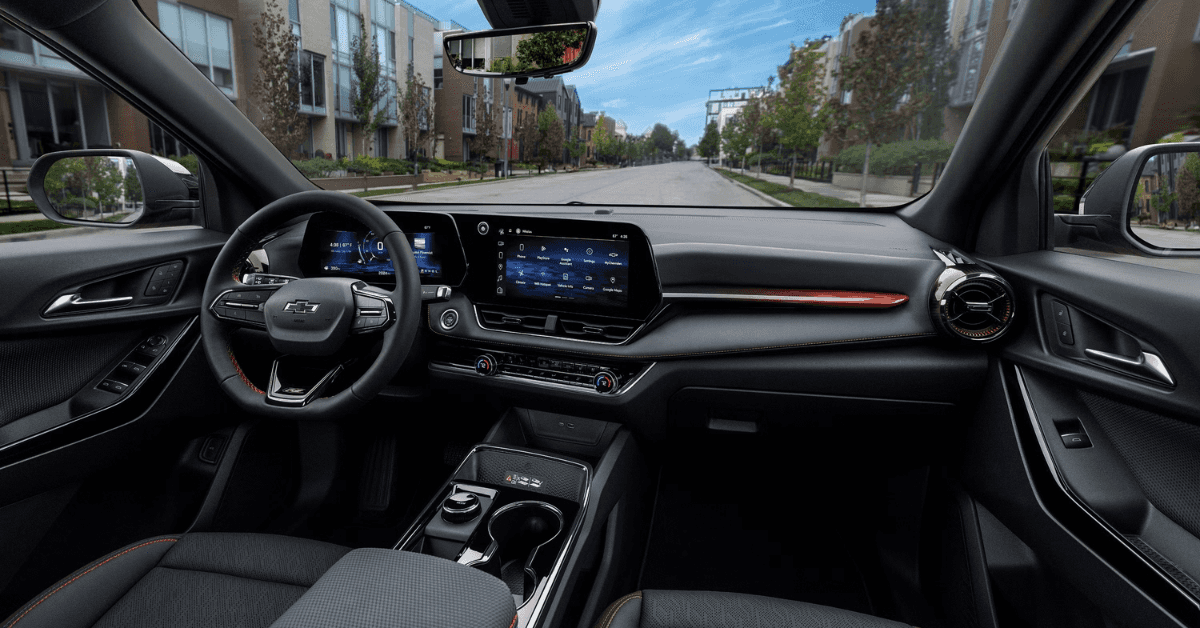
At Applegate Chevrolet in Flint, we’ve been proudly serving drivers from Grand Blanc, Davison, Clarkston, and beyond for more than 90 years. Whether you’re shopping for a new Chevrolet Equinox, Trax, Blazer, or Silverado, exploring certified pre-owned options, or scheduling trusted maintenance, our team is here to support all your automotive needs. From genuine Chevy parts and expert service to financing solutions that fit your lifestyle, we work hard to make sure every visit is smooth, professional, and stress-free.
If your vehicle needs attention or you simply have questions, we encourage you to give us a call or contact us today—we’re here to help. If your Chevy infotainment system keeps restarting, you’re not alone.
In this article, we’ll break down the most common causes of infotainment reboot loops, from device connections and weak batteries to outdated software and hardware issues. We’ll also walk through quick fixes you can try at home, explain when it’s time to visit a dealer, and show how Applegate Chevrolet can provide lasting MyLink stability fixes to keep your system running seamlessly. Visit us!
Why Does the Chevy Infotainment System Keep Restarting?
When your Chevy infotainment restarting issue happens often, it can feel both confusing and distracting. Drivers expect their Equinox or other Chevy models to provide simple access to music, maps, and calls. Instead, the screen may shut off and power back on again with no clear reason.
There are several common triggers for this type of problem. Some are simple to fix at home, while others may need expert care. Common reasons include:
- A phone or USB drive that does not sync well with the system
- A weak or old car battery that cannot keep steady power
- Software that is out of date and needs a dealer update
- Faulty parts inside the infotainment unit or other modules
Each of these can lead to the same outcome: the screen keeps shutting down and starting again. By knowing the likely causes, you can take the right steps toward a fix.
Could a USB or Device Connection Be the Cause?
In many cases, a MyLink reboot loop can be traced back to something simple. A phone or USB device may cause the system to lock up or restart. Even in a compact SUV like the Trax, a small device error can create a big headache on the road. Modern infotainment systems depend on steady signals.
If the link between the car and the device breaks, the screen may restart. Some drivers find this happens right after they plug in their phone. Others notice it when using certain apps through USB or Bluetooth. Here are common signs that a device may be the cause:
- The screen restarts as soon as a phone is plugged in
- A certain app causes the system to freeze or loop
- The problem stops once the device is removed
Quick ways to test this include unplugging your phone, switching to a new cable, or trying a different port. If the problem goes away, the device was likely the cause. If not, the issue may come from the vehicle system itself and may need more care.
How Do Weak Batteries and Voltage Drops Affect the System?
A weak battery is one of the most common reasons a Chevy screen keeps restarting. When the car starts, every module needs a steady stream of power. If the battery cannot provide that flow, the infotainment system may shut down and turn back on. Even in a newer model like the Blazer, low voltage can cause strange issues.
A restart loop may happen more often on cold days or after the car has been parked for long hours. Small drops in power are sometimes enough to trigger the reset. Here are key signs that the battery could be part of the problem:
- Slow engine crank when you turn the key
- Dim or flickering interior lights
- Infotainment screen restarts after starting the car
Simple checks can point you in the right direction. A battery test can confirm if the voltage is too low. If the battery is old or weak, replacing it often brings the system back to normal.
Can Outdated Software or Firmware Cause Restart Loops?
Yes, outdated software or firmware can cause the screen to keep restarting. Modern infotainment systems run on complex code. If that code is old, bugs and errors can build up. These errors may cause sudden crashes, frozen screens, or full restart loops.
For drivers with a 2025 Chevy system, crashes often trace back to missed updates. Updates are released to fix glitches, boost speed, and improve safety. When those updates are skipped, problems stack up. Even a Silverado can face repeat reboots if its system is not current. Some clear signs that your system may need an update include:
- The display freezes often.
- The screen restarts in the middle of use.
- Apps load slowly or fail to open.
- Navigation or radio cuts out without warning.
When these issues show up, checking for updates is a smart first step. Most vehicles allow updates through Wi-Fi. Some require a visit to the dealer. Keeping your system current is the simplest way to cut down on restart loops.
What If the Problem Is Faulty Modules or Hardware?
Sometimes the issue runs deeper than a quick reset. If the infotainment system keeps shutting down or restarting, the cause may be faulty modules or hardware. Even in a well-built SUV like the Equinox, bad parts can lead to system crashes. The same is true for newer models, including the 2025 Chevy lineup, where a crash may feel sudden and confusing. Here are common hardware issues that may cause these failures:
- Control module failure – the unit that directs system tasks can stop working.
- Wiring damage – loose or frayed wires may cut off power.
- Touchscreen faults – the screen may lose connection with the main unit.
- Cooling issues – overheating can force the system to restart.
How can you tell if this is the cause? Signs often show up in clear ways:
- Frequent system crashes even after resets
- Black screens that never load
- Random restarts while driving
- Delays when pressing commands
If you see these issues, a dealer visit is often needed. A trained tech can run tests and confirm if a module or part has failed. For many drivers, the fix may be a replacement of one key part. Other times, the entire infotainment unit may need service. Acting early can save you time and prevent more stress on the road.
Step-by-Step Troubleshooting Guide for Drivers in Flint and Beyond
When your screen keeps restarting, the cause may be small. Follow these steps to get your system stable again. Each step is easy to try and safe for most drivers.
Step 1: Check for Loose Power
- Make sure your phone cord is snug.
- Look at the USB slot for dirt or wear.
- If the cord looks bad, try a new one.
Step 2: Reset the Screen
- Hold the home and fast-forward keys down for 10 seconds.
- Wait while the screen goes dark.
- The system should boot fresh after the reset.
Step 3: Update the System
- Go to the settings tab on the screen.
- Look for “Software Update” and check the date.
- If an update is due, install it with the car in park.
Step 4: Clear Paired Devices
- Too many linked phones can cause the unit to crash.
- Delete old links in the Bluetooth menu.
- Pair just one phone at a time.
Step 5: Check MyLink Stability Fixes
- Some drivers see fewer crashes after a dealer patch.
- Ask your local service team if new fixes are out.
Step 6: Inspect Vehicle Power Health
- A weak car battery may cause restarts.
- If the car cranks slow, test the battery.
- Change the battery if it is low.
Step 7: Model-Specific Note
- Compact rides like the Trax may have unique update needs.
- Your manual will list the right steps for your trim.
This guide helps most drivers handle restart issues at home. If the problem stays, a trained tech should take a look.
What Should You Do If the Chevy Screen Keeps Restarting?
When the screen in your Chevy infotainment system keeps restarting, it can be frustrating and distracting. If you drive a Blazer or any other Chevy, knowing what steps to take helps you get back to smooth driving. Start with simple checks before moving on to more complex fixes:
- Restart the vehicle – Turn your car off, wait a minute, then restart it. This often clears minor glitches.
- Check for updates – Software that is out of date may cause repeat restarts. Visit your dealer if you are unsure.
- Look at your connections – A loose USB cable or phone link can send bad signals that cause the screen to fail.
- Remove paired devices – Too many connected phones or tablets may overwhelm the system. Unpair old or unused ones.
- Reset the system – Your owner’s guide shows how to reset the screen back to default. This can solve many issues.
If these steps do not help, you may need expert support. A certified Chevy service team can run tests and repair deeper system faults. This is the best path if the screen restarts often or stops you from using key features.
Frequently Asked Questions About Chevy Infotainment Restarts
If your Chevy infotainment system keeps restarting, you’re not alone. Here are quick answers to common questions drivers ask when troubleshooting these issues.
What causes the Chevy infotainment to restart repeatedly?
- Software glitches, outdated firmware, or corrupted files can trigger restarts.
How do I safely reboot MyLink?
- Hold the home and fast-forward buttons for about 10 seconds until the screen resets.
Can a bad USB or SD card trigger restarts?
- Yes, faulty or corrupted media devices can cause looping restarts.
When should I perform a full factory reset?
- Only after other troubleshooting fails or when software issues persist.
Does GM release hotfixes for known issues?
- Yes, GM occasionally issues software updates and patches through dealers.
Getting quick answers to these questions can help you fix minor problems yourself or know when it’s time to schedule a visit with your Chevy dealer.
Keep Your Chevy Running Smooth
If your infotainment system gives you trouble, our team at Applegate Chevrolet is here to help. Drivers in Flint, Grand Blanc, Davison, and Clarkston can also explore our wide range of vehicles. From the versatile Equinox and sporty Trax to the bold Blazer and strong Silverado, there’s a model fit for every lifestyle.
If your screen does not work right, you may want to read more about infotainment screen broken issues. For drivers who have trouble getting online in their car, we also cover Chevy WiFi connect tips. And if your music stops when you need it most, you can learn more about MyLink play music fixes.
Take time to browse our site for service tips and the latest vehicles today.
Get Directions to Applegate Chevrolet
Disclaimer: All information is provided for general informational and entertainment purposes only. While we strive for accuracy, we cannot guarantee that all content is complete, current, or error-free. Any reliance you place on such information is strictly at your own risk. This article may include opinions and is not endorsed by, or officially affiliated with, any vehicle manufacturer or brand. Always consult official sources – such as the vehicle’s owner’s manual, authorized dealerships, or certified professionals – for the most up-to-date and personalized information.
0 comment(s) so far on Chevy Infotainment System Keeps Restarting? Causes & Fixes