


Chevy Infotainment System Not Working: Troubleshooting Guide
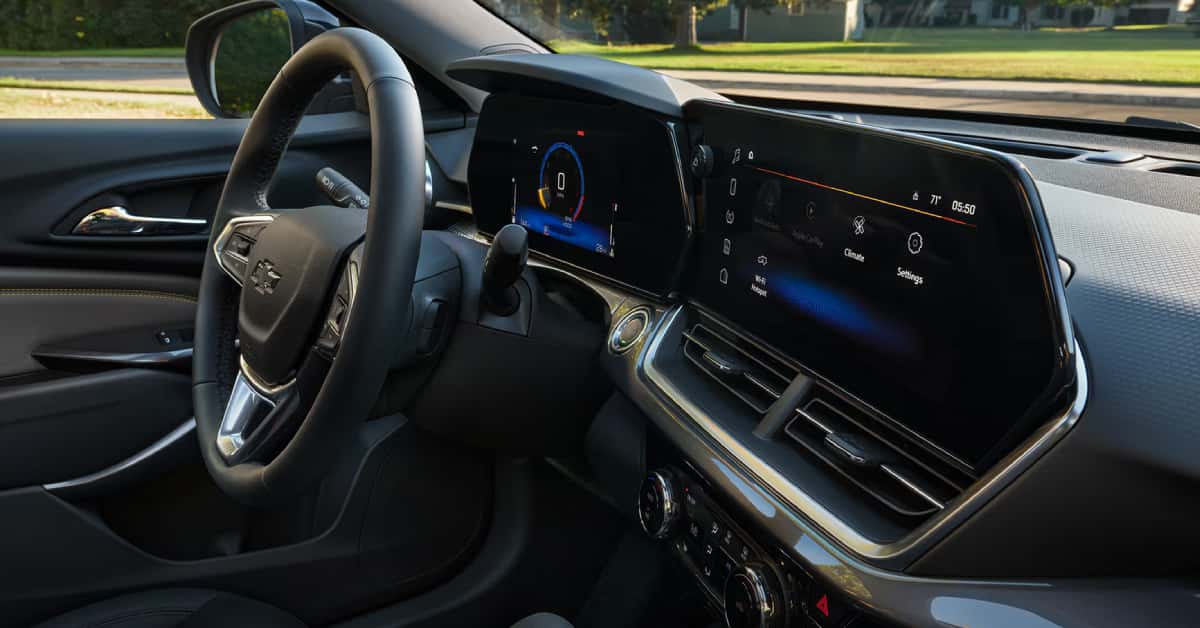 When your Chevy’s infotainment system suddenly glitches, goes dark, or refuses to respond, it can throw off your whole drive—especially when you rely on it for navigation, music, hands-free calling, and climate controls. Whether you’re behind the wheel of a Silverado 1500 in Grand Blanc, commuting through Davison in an Equinox, or exploring Clarkston in your Trax, infotainment issues can be frustrating. If you’ve found yourself searching “Chevy infotainment system not working,” you’re not alone. From black screens to constant restarts, these problems are more common than you might think—but the good news is that many of them have quick fixes. This troubleshooting guide from Applegate Chevrolet in Flint will walk you through the most effective solutions, step by step. And if you hit a roadblock, our certified technicians are always here to help. Give us a call, schedule a service appointment, or stop by—we proudly serve drivers across Flint, Grand Blanc, Davison, and Clarkston with expert repairs and honest advice.
Why Is My Chevy Infotainment System Not Working?
If your Chevy infotainment system is not working, you’re not alone. Many drivers have run into this issue—whether they’re heading to work in Flint or taking a weekend drive near Grand Blanc in a Silverado 1500. When the system freezes, goes black, or restarts again and again, it can be both annoying and confusing. There are a few common reasons why this might happen. In most cases, it’s not due to anything you did wrong. These problems can pop up from time to time, even in newer vehicles. Here are some of the most likely causes:
- Software Glitch – Just like a phone or tablet, your infotainment system can freeze or lag when software runs into a bug.
- Outdated Software – If your system is not up to date, it may not run right or may crash more often.
- Low Battery Voltage – If your car battery is weak, it may not give the system enough power to work as it should.
- Loose or Damaged Wires – A wire behind the screen may be loose or have damage from wear and tear.
- Cold Weather Effects – In places like Flint or Davison, cold temps can slow down how the screen starts or responds.
- Device Connection Errors – If your phone or another device is not paired right, it could crash the system.
Sometimes, the issue is simple. A quick reset might be all it takes. Other times, the root cause might take more digging. But no matter the issue, most infotainment problems can be solved with a little time and care. If you drive a Silverado 1500 or another Chevy model, and your infotainment system is not working, don’t worry—there are steps you can take. In the next sections, we’ll walk you through how to fix the problem and when to bring your vehicle to Applegate Chevrolet for help.
What Are the Most Common Chevy Infotainment System Problems?
Even in newer models like the Trax, problems with the infotainment system can pop up. These issues can feel random. But most have simple causes. And often, you can fix them yourself—or at least know when it’s time to call for help. Here are the most common issues drivers run into:
- Blank or Black Screen The screen may turn off while driving or not come on at all. This can happen with no warning.
- Frozen Display The screen may freeze on one image and not respond to touch. This is often due to a software bug.
- Bluetooth Not Working Phones may not pair or drop connection while driving. Calls may not come through clearly.
- No Sound The radio plays, but no sound comes from the speakers. This may be due to a volume glitch or deeper system fault.
- Slow Response or Lag It can take a long time for the system to switch screens or load maps. This often means it needs a reset.
- Apps Not Loading Maps, music, or voice tools may not load or crash right away. This may be a sign the system is out of date.
Simple Fix: Try a Reset
If the system in your vehicle is acting up, try to reset the Chevy infotainment system before doing anything else. Here’s how:
- Turn off your car and open the driver’s side door.
- Wait for about 60 seconds.
- Close the door and start the car again.
This soft reset may clear up the issue. If not, your system may need a software update or hands-on help from a tech. Infotainment issues are never fun—but they don’t have to ruin your drive. If you’re near Flint and your Trax screen won’t respond or sound won’t play, Applegate Chevrolet is here to help. Keep reading to learn when it’s best to call the pros.
What Causes a Chevy Infotainment System Black Screen?
A black screen on your Chevy’s infotainment system can be frustrating. It leaves you without access to navigation, music, and other features. This issue is common in models like the Silverado 1500, but it’s often fixable. Here are some main reasons why the screen might go black:
- Power Issues The system might not be getting power due to a blown fuse or a loose connection.
- Software Glitch The system software can crash, causing the screen to go black or freeze.
- Display Malfunction The screen itself may have hardware issues, like damaged wiring or a faulty display.
- Battery Problems A weak or dying car battery can cause the infotainment system to lose power.
- Overheating Sometimes the system overheats and shuts down temporarily to protect itself.
Steps to Try Before Getting Help
- Check if the vehicle is fully on or in accessory mode.
- Try a soft reset by holding down the power button for 10 to 20 seconds.
- Inspect the fuse box for any blown fuses related to the infotainment system.
- If the screen stays black, power cycling your Silverado 1500 by turning the truck off and on can help.
If none of these steps work, the problem may be more serious. Visiting Applegate Chevrolet near Flint or Grand Blanc for a full diagnosis is a smart move. Our team can help get your infotainment system back up and running quickly.
Can a Dead Battery or Cold Weather Affect the Infotainment System?
Yes, a weak or dead battery can cause issues with your Chevy’s infotainment system. This problem is common in vehicles like the Equinox, especially in cold weather. When the battery is low, the system may not get enough power. This can make the Chevy infotainment system keeps restarting or even fail to turn on. Cold temperatures can make this worse by reducing battery performance. Here’s how a dead battery or cold weather affects the system:
- Low Voltage The infotainment system needs steady power. Low voltage from a weak battery can cause it to reset or shut down.
- Cold Weather Impact Cold temperatures slow down the battery’s chemical reactions. This lowers the battery’s ability to hold a charge.
- Restart Loop When power dips, the system may keep restarting to try to reboot.
- Delayed Startup The system might take longer to start or respond when it’s very cold.
Tips to Avoid These Problems
- Keep your battery tested regularly, especially before winter.
- Park your vehicle in a garage or covered area to reduce cold exposure.
- If your infotainment system keeps restarting, check your battery health as a first step.
- Consider a battery replacement if it’s old or shows signs of weakness.
If you live in or around Flint, Grand Blanc, or Davison, and your Equinox’s infotainment system acts up, stop by Applegate Chevrolet. Our service team can test your battery and fix issues to keep your system working well.
Is Your Chevy Infotainment System Software Up to Date?
One common cause of a Chevy infotainment system not working properly is outdated software. Like any tech, your system needs updates to run smoothly. This is true for models like the Trax and many others. When software is out of date, you may see problems like freezing screens, slow response, or loss of features. Updating the system can fix bugs and improve performance. Here are some signs your system might need an update:
- Slow or unresponsive touch screen
- Features not working as they should
- Frequent errors or system crashes
- Bluetooth or phone connectivity issues
How to check and update your infotainment software:
- Visit your vehicle’s settings menu
- Look for software update options
- Follow prompts to download and install updates
- Use a Wi-Fi connection for faster downloads
If you’re unsure how to update or your system won’t respond, Applegate Chevrolet can help. Our experts can update your system and get everything working again. Keeping your software up to date helps avoid many common issues and keeps your ride connected.
When Should You Visit a Chevy Service Center?
Sometimes, troubleshooting your Chevy infotainment system at home isn’t enough. If issues persist, it’s time to visit a service center. This is especially true if your system shows a black screen or won’t respond at all. Here are signs you should bring your vehicle in for expert help:
- The screen stays black after resets
- The system won’t turn on or keeps crashing
- Buttons or touch controls don’t work
- Problems come back even after trying fixes
- You notice other electrical issues in your vehicle
For models like the Trax, specialized tools and software may be needed to diagnose and fix problems. Trained technicians can find and repair issues safely. If your Chevy infotainment system black screen or other problems don’t clear up, trust the pros. At Applegate Chevrolet, we have the experience and tools to get your system back in shape. When in doubt, a quick visit can save time and avoid bigger problems down the road.
Common Chevy Infotainment System Questions
Here are quick answers to common Chevy infotainment system issues to help you get back on track fast.
How do I reset my Chevrolet infotainment system?
- Hold the power button or volume knob for 10 seconds until it restarts.
What should I do if my infotainment system freezes or lags?
- Try a reset first. If it persists, visit a service center.
Why won’t my phone connect to the Chevy infotainment system?
- Check Bluetooth, update software, and restart both devices.
How do I update the Chevy infotainment system software?
- Update via Wi-Fi or USB from the Chevrolet website.
Explore More and Get Expert Help at Applegate Chevrolet
If you’re having trouble with your Chevy infotainment system, don’t hesitate to reach out to Applegate Chevrolet. Our team is ready to help you get back on the road with confidence. Whether you’re near Flint, Grand Blanc, Davison, or Clarkston, we invite you to explore our wide selection of Chevrolet vehicles, including the Silverado 1500, Equinox, and Trax. Keep exploring our site to learn more about Chevrolet options. You might find helpful info on choosing the right electric vehicle, or discover tips on finding great used car deals in Flint. We also offer advice on which Chevrolet models handle Michigan’s weather best, so you can pick a vehicle that fits your needs year-round. Feel free to contact us anytime — we’re here to help with your Chevy questions and more.
Get Directions to Applegate Chevrolet
Disclaimer: All information is provided for general informational and entertainment purposes only. While we strive for accuracy, we cannot guarantee that all content is complete, current, or error-free. Any reliance you place on such information is strictly at your own risk. This article may include opinions and is not endorsed by, or officially affiliated with, any vehicle manufacturer or brand. Always consult official sources – such as the vehicle’s owner’s manual, authorized dealerships, or certified professionals – for the most up-to-date and personalized information.
0 comment(s) so far on Chevy Infotainment System Not Working: Troubleshooting Guide