

How to Reset Your Chevy’s Radio: Step-by-Step Guide
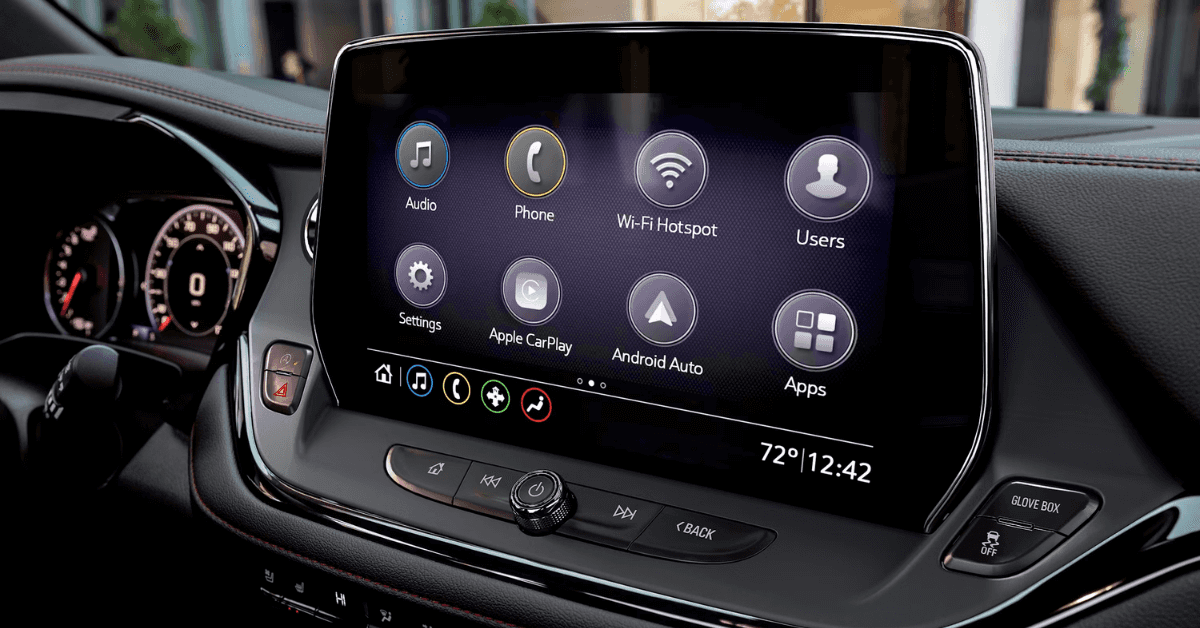 You’re driving your 2025 Chevy Equinox, Blazer, or Suburban when suddenly—your radio stops working. The screen is blank, locked, or asking for a code. Don’t panic. This is a common issue tied to your vehicle’s anti-theft system, especially after a battery replacement or power loss. If you’re wondering how to reset your Chevy’s radio quickly and correctly, you’re in the right place. This step-by-step guide will walk you through the exact process to get your audio system working again. Whether you’re in Flint, Grand Blanc, Davison, or Clarkston, the team at Applegate Chevrolet is here to help you unlock your infotainment system and get back on the road with full sound.
Chevy Radio Reset Steps: What to Do First
If the radio in your 2025 Equinox shows a lock screen, the fix might be quick. Before trying a full reset, there are a few steps you should take to confirm the issue and prepare your system. These Chevy radio reset steps work across many models with anti-theft protection built into the infotainment system. Start with these basic checks:
Step 1: Turn the ignition to ON
Turn the key to the ON position, but do not start the engine. Let the radio screen power up. If you see the word “LOCKED,” it means the system is disabled and needs to be reset.
Step 2: Check for power
If the screen is blank, press the radio’s power button. If it stays off, the system may not be getting power from the battery. If the screen lights up and shows a prompt for a code, you’re ready to proceed.
Step 3: Find your radio’s ID number
You’ll need this number to unlock the radio. To get it:
- Press and hold the preset buttons labeled 2 and 3.
- After a few seconds, a code with several numbers will appear.
- Press the AM/FM button to show more digits.
- Write all the digits down carefully.
Step 4: Contact a Chevrolet dealer
Call Applegate Chevrolet or stop by with your vehicle information. Provide the radio ID and proof you own the car. A member of our team can request the unlock code from GM on your behalf.
Step 5: Enter the unlock code
Once you have the code, turn on the ignition and radio again. Use the hour and minute buttons on the radio to enter each digit of the unlock code. When finished, press the AM/FM button to confirm. If the code is entered correctly, the screen should say “SEC” and your system will restart. If you enter it wrong too many times, the system will lock out again and require a 60-minute wait before another attempt. Following these steps is the easiest way to reset a locked infotainment system. If you’re unsure or need hands-on help, Applegate Chevrolet in Flint is ready to assist. We proudly serve nearby drivers from Grand Blanc, Davison, and Clarkston.
What Causes the Chevy Radio to Lock in the First Place?
If your Chevy radio locks up, you’re not alone. This issue often starts after a power loss or service task. For drivers in Flint or nearby areas, it’s a common frustration—especially in tech-packed models like the 2025 Blazer and Equinox. The system is part of Chevrolet’s built-in security. It helps keep your infotainment unit safe from theft. But it also means your radio may stop working after a simple fix or routine job. Here are the most common triggers:
- Battery was replaced or went dead Power loss will cause the system to shut down and trigger a lock.
- Radio or infotainment was removed The system may think it was stolen and stop working until it’s reset.
- Fuse was pulled or blown A fuse tied to the radio system may disrupt the connection and cause a lockout.
- Jump-start or voltage spike A surge of power can confuse the system and make it shut off the unit.
- DIY repairs or tampering Changing parts or wires around the dash may cause the system to react and lock.
If your 2025 Blazer radio has locked, the fix is often quick. Once you complete the right Chevy radio reset steps, most systems return to normal. Still not sure what triggered the lock? Applegate Chevrolet in Flint can inspect your system and walk you through what happened. We’ve helped drivers from Grand Blanc, Davison, and Clarkston reset locked radios fast—and we can help you too.
How to Tell If Your Chevrolet Infotainment System Is Locked
Not sure if your Chevy infotainment system is locked? It’s easy to miss the signs—until nothing works. If you drive a 2025 Suburban, or any newer model, the system will give you clear clues. When your infotainment locks up, it cuts off access to music, maps, and Bluetooth. It may ask for a code or freeze completely. These issues are all signs that it’s time to unlock the Chevrolet infotainment system. Here’s what to watch for:
- “LOCKED” message on the screen The word “LOCKED” may appear right after you start your vehicle. It means the system shut itself down.
- Blank or frozen screen Your screen may light up but not respond. No icons, no menus, just a stuck screen.
- No sound or access to audio Even if the radio turns on, no sound will play. You won’t be able to use Bluetooth or USB either.
- Touchscreen lights up, but buttons don’t work The screen may look normal, but nothing will respond to your touch or dials.
- System asks for a code You may be prompted to enter a four-digit unlock code before the system can turn on again.
These symptoms are most common after the battery dies or gets replaced. If your Suburban went through any service or electrical work, the system may have shut itself off to prevent theft. If your screen shows any of these signs, it’s time for a reset. Need help? Applegate Chevrolet in Flint can check the system and help you get your sound and screen working again—fast. We proudly serve drivers from Davison, Clarkston, Grand Blanc, and beyond.
Tips to Prevent Chevy Radio Lockouts in the Future
If your 2025 Blazer radio has locked once, you know how frustrating it can be. The good news? It’s often easy to prevent it from happening again. A few simple habits can help you avoid the need for another reset or extra Chevy radio troubleshooting down the line. Most lockouts happen after a loss of power. That means battery changes and jump-starts are the biggest triggers. Here’s how to reduce the risk. Use a memory saver when changing your battery This tool keeps power flowing while you swap out the battery. It helps your radio hold its settings. Avoid pulling fuses unless you need to Some fuses control the infotainment system. Removing them, even by accident, can cause the radio to reset and lock. Have battery work done by a trained tech If you’re not sure how to do it yourself, bring your Blazer to a certified team. They’ll make sure no power is lost during service. Keep your battery in good shape A weak battery can die without warning. That sudden loss of power can lead to a locked screen. If your car is slow to start or the lights flicker, it’s time to get your battery tested. Avoid tampering with the radio system Trying to install parts that don’t match GM specs can trigger a lockout. If you need a radio upgrade or fix, have it done at a trusted Chevrolet service center. These tips can help keep your radio working the way it should. If it locks again or won’t respond, don’t stress. Applegate Chevrolet in Flint can help with fast service and expert advice. Whether you live in Grand Blanc, Clarkston, or Davison, we’re here to get your Chevy back on the road fast.
Quick Answers for Resetting Your Chevy Radio
If your Chevy radio is locked, these fast answers can help you know what to do next.
How do I reset a locked Chevy radio?
- Use preset buttons 2 and 3 to get the ID, then enter the unlock code.
What tools or info do I need to reset my Chevy radio?
- Just your radio ID and proof you own the car.
Do I need a dealership to reset my Chevy radio?
- Yes, they provide the unlock code.
Where can I find the radio unlock code?
- From a Chevy dealer like Applegate Chevrolet.
Can I reset the radio without disconnecting the battery?
- Yes, the reset doesn’t need a battery disconnect.
Need help now? Applegate Chevrolet can get your system working again fast.
Get Help with Resets, Tech Support, and Your Next Chevy in Mid-Michigan
Still dealing with a locked radio or tech issue in your Chevy? Applegate Chevrolet is here to help get your system working again. If you’re in Flint, Grand Blanc, Davison, or Clarkston, our service team is just a short drive away and ready to assist. While you’re here, explore our great selection of vehicles. Whether you want the roomy Suburban, the sleek Blazer, or the flexible Equinox, we have the right fit for your needs and lifestyle. If you’re still weighing your options, see how our tips on leasing versus buying a Chevy in 2025 can help you make the right choice. Or check out our guide on what to do if your Chevy randomly honks—a quick resource if your vehicle sounds off when you least expect it. We also offer more info on driver tech that makes your commute safer, all just a click away. Contact or visit Applegate Chevrolet today for trusted advice, local service, and a great deal on your next ride.
Get Directions to Applegate Chevrolet
Disclaimer: All information is provided for general informational and entertainment purposes only. While we strive for accuracy, we cannot guarantee that all content is complete, current, or error-free. Any reliance you place on such information is strictly at your own risk. This article may include opinions and is not endorsed by, or officially affiliated with, any vehicle manufacturer or brand. Always consult official sources – such as the vehicle’s owner’s manual, authorized dealerships, or certified professionals – for the most up-to-date and personalized information.
0 comment(s) so far on How to Reset Your Chevy’s Radio: Step-by-Step Guide