

How to Update the Software in a Chevy’s Infotainment Center
At Applegate Chevrolet, we’re more than just your local Chevy dealership—we’re your trusted partner for all things automotive. From helping you find the perfect new or pre-owned vehicle to keeping your current Chevy running like new with expert service, genuine parts, and reliable maintenance, our team is here to serve you every step of the way.
Whether you’re shopping, scheduling service, or simply have questions, we’re just a call or message away and ready to help. In this article, we’ll walk you through the essentials of updating the software in your Chevy’s infotainment center. You’ll learn why updates matter, how they improve your driving experience, and the simple steps to ensure your system runs smoothly.
If you’ve ever wondered how to keep your infotainment features current, this guide will answer those questions and show you exactly what to do.
How Do You Update the Software in a Chevy’s Infotainment Center?
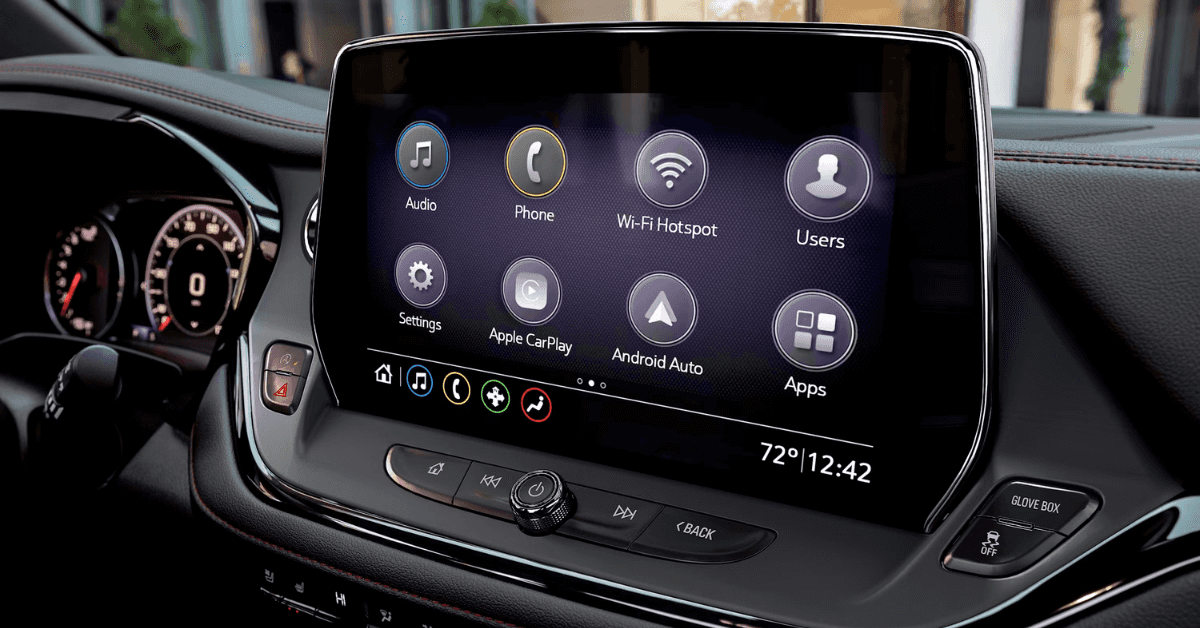
The infotainment center in your Chevy can get updates over the air. This means the system can refresh on its own, much like a phone or tablet. Updates can fix bugs, add new tools, or make the screen run faster. To make sure your system gets the update, follow these steps:
- Turn the car on and keep it in park.
- Check that your vehicle has a good Wi-Fi link.
- Look for a notice on the screen that an update is ready.
- Pick “Install Now” or set a time for later.
The update may take some time. In most cases, you will need to leave the car in park while it runs. If you have a Blazer or a similar model, the process works the same. If you do not see an update notice:
- Go to “Settings” on the screen.
- Select “System.”
- Choose “Updates” to see if one is ready.
Updates may not show if Wi-Fi is weak or if your car is not due for one. With these steps, you can keep your infotainment system current and smooth to use.
Why Should You Keep Your Chevy’s Infotainment Software Updated?
When you update Chevy infotainment software, you keep your drive smooth and stress-free. Updates fix bugs, boost speed, and add new tools. For a busy driver in an Equinox or any other model, that makes a big change. Here are the key reasons to keep your system current:
- Better safety – New updates may fix errors that could slow your screen or cause it to freeze.
- Fewer bugs – Small glitches build up over time. Updates clear them out.
- Fresh features – Updates may add new apps or improve the ones you use most.
- Smooth use – Faster load times and steady links make each trip easier.
Keeping the system up to date is a quick way to make your car feel new. Even if the Equinox is a few years old, fresh software can give it the edge it needs for today’s road.
What Is the Chevy OTA Update Process?
Many newer Chevrolet models use over-the-air (OTA) updates. This means the car can get fixes or upgrades without a dealer visit. Think of it like how your phone updates on its own. The infotainment system gets the latest software while you drive or park.
For a vehicle like the Chevy Trax, this process keeps the system current and smooth. A MyLink firmware upgrade may bring better app use, bug fixes, or faster screen response. Here’s how the OTA process usually works:
- Check for updates – The system looks for new software when the car is on.
- Download – Files are stored in the background. This does not affect driving.
- Install – The update runs when the car is parked and shut off.
- Confirm – Once done, the screen may ask for a quick restart.
Key benefits include:
- Less need for dealer visits.
- Fewer software bugs.
- Better system speed.
- Access to new features.
Some updates still require a service stop. This may happen if the update is too large or needs a hardware check. But for most fixes, OTA makes the process quick and stress free.
When Should You Consider a MyLink Firmware Upgrade?
A MyLink firmware upgrade is not needed every year. But there are times when updating makes sense. A 2025 Chevy software refresh, for example, can bring new features and fixes to models like the Silverado. You should think about an update if you face these issues:
- Screen freezing or random restarts
- Slow response to touch or voice commands
- Trouble connecting to your phone
- Missing apps or broken functions after an update on your device
Other times, it is smart to upgrade even if no problems show:
- A new feature becomes available, such as better phone pairing
- The system adds stronger safety alerts or navigation tools
- Your dealer recommends an update during service
A fresh version can make the system run smoother and keep you safe on the road. If you wait too long, the system may lag or fail at the worst time. Small bugs can grow into big problems. A simple update often stops those issues before they spread.
In short, do not update every time you hear about a patch. But if your system is slow, unreliable, or lacking features, an upgrade may be the best move.
What Happens if the Update Fails?
Sometimes a software refresh does not go as planned. If the update on your Chevy does fail, it does not mean the system is broken. It just means the process must be tried again or checked by a dealer. When an update fails, you may see:
- A blank screen that does not load
- The system stuck on the update page
- Apps or radio not working right
- Loss of saved phone links or custom settings
If this happens in a 2025 Chevy model like the Equinox, you still have options. Most times the issue can be fixed with a restart. If that does not work, a dealer can help reload the 2025 Chevy software refresh. Steps to take if an update fails:
- Turn the car off and wait a few minutes
- Restart the car to see if the system resets
- Check for Wi-Fi or signal issues that may have stopped the update
- Try the update again when you have a strong link
- Call your local Chevy dealer if the problem stays
A failed update may be a small glitch. Most are easy to fix with simple steps. If not, your dealer can make sure your system is safe and works as it should.
Can a 2025 Chevy Software Refresh Add New Features?
When you update Chevy infotainment software, you often get more than small fixes. These updates can change how your system works day to day. For 2025 models like the Trax, a refresh can also unlock new tools.
Some updates are small. They fix bugs or make the screen run smoother. Other updates are larger. They can add real upgrades that improve your drive. Here are some features that a software refresh may bring:
- Better voice commands for calls or music
- Stronger phone link for Apple CarPlay or Android Auto
- New menu layouts that make screens easy to use
- Security patches that protect your data
Not all changes are the same. Some cars get small tweaks. Others gain full new functions. It depends on the model and update size. For drivers of the 2025 Trax, updates can keep the system modern without buying new tech.
That means your SUV stays fresh longer. If you want the best chance of new features, check for updates often. Even small patches can make your daily drive easier and safer.
Chevy Infotainment Update FAQ
If your Chevy infotainment system isn’t performing at its best, you may have questions about software updates. Here are clear answers to some of the most common concerns.
How do I check for available infotainment updates?
- Go to Settings > System > Vehicle Software > Updates on your infotainment screen.
Can I update via USB or over-the-air?
- Most newer Chevy models allow over-the-air updates, while older systems may require a USB update at a dealership.
What precautions should I take before updating?
- Ensure your vehicle is in Park, engine is running, and you have a stable Wi-Fi connection.
How long does the MyLink update take?
- A typical update takes about 20–30 minutes.
What if the update fails mid-process?
- Retry the update, or if it continues to fail, visit a Chevy dealership for service.
Keeping your software up to date helps maintain performance and ensures access to the latest features.
Keep Your Chevy Running Strong
If you need more help, contact Applegate Chevrolet today. We are here for drivers in Flint, Grand Blanc, Davison, and Clarkston. Our team is ready to help with service and upgrades to your Chevy. While you wait, you can explore our large stock of new models. Check out the Equinox, Trax, Blazer, and Silverado.
If your screen acts up, knowing how to do a quick radio reset guide can save you stress. Locked audio can also cause big trouble, but our chevy radio locked tips can get you back on track fast. When you work on your own car, be sure to avoid simple errors.
Our guide on chevy oil mistakes can help you keep things safe. Keep reading more of our site today. Visit us today!
Get Directions to Applegate Chevrolet
Disclaimer: All information is provided for general informational and entertainment purposes only. While we strive for accuracy, we cannot guarantee that all content is complete, current, or error-free. Any reliance you place on such information is strictly at your own risk. This article may include opinions and is not endorsed by, or officially affiliated with, any vehicle manufacturer or brand. Always consult official sources – such as the vehicle’s owner’s manual, authorized dealerships, or certified professionals – for the most up-to-date and personalized information.
0 comment(s) so far on How to Update the Software in a Chevy’s Infotainment Center