

Phone Won’t Pair with Chevy? 5 Causes & Solutions
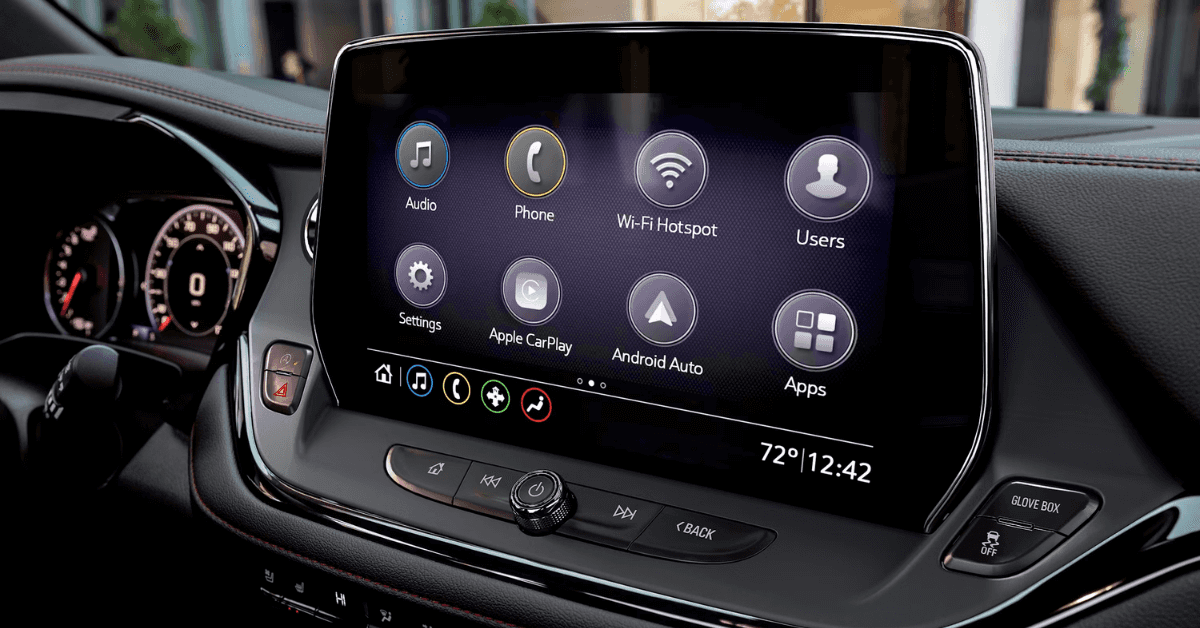
Can’t get your phone to connect to your Chevy? You’re not alone—Bluetooth connectivity problems are a common frustration for drivers in Flint, Grand Blanc, Davison, and Clarkston, especially in newer 2025 models like the Equinox, Trax, Blazer, and Silverado. Whether your device won’t sync with MyLink, won’t stay connected, or simply refuses to pair, the issue often comes down to a handful of fixable causes.
In this guide, we break down the five most common reasons behind Chevy phone pairing issues and give you clear, step-by-step solutions to fix them fast. From outdated software and corrupted connections to interference and misconfigured settings, we’ll walk you through exactly what to check, how to troubleshoot, and when to bring your vehicle in for service.
If your phone won’t pair with your Chevy, these five causes and solutions are the key to restoring your mobile connection—quickly, easily, and without guesswork.
And if the problem still won’t go away? Contact or visit Applegate Chevrolet in Flint, where our certified technicians are ready to get your Bluetooth system back in sync.
1. Your Phone or Chevy’s Software Isn’t Updated
If your phone won’t sync with MyLink, the fix may be as simple as a software update. Both your phone and your Chevy need current software to pair and stay connected. When one falls behind, the system may not work right.
This can happen even in newer models like the Trax. A new phone might not pair if the car’s system hasn’t been updated. And if your phone just had an update, your car might not be ready for it yet.
Here are a few things you can do right now:
- Make sure your phone is fully up to date with the latest system software
- Restart your phone before trying to pair again
- Check your Chevy’s infotainment settings to see if a system update is available
- Turn off any old Bluetooth connections on your phone that may get in the way
- Make sure your phone is connected to Wi-Fi before starting any updates
After everything is updated, try pairing your phone with your vehicle again. Be sure your car is in park, the engine is running, and your phone’s Bluetooth is turned on.
If you still can’t connect, don’t worry. We’ll go over more possible causes next. Or, if you’re near Flint, Grand Blanc, Davison, or Clarkston, feel free to visit Applegate Chevrolet for hands-on help.
2. Your Phone and MyLink Lost Their Pairing Connection
Sometimes the issue isn’t your phone or your car’s system—it’s the connection between them. Even if your phone worked fine before, the link can drop without warning. This is a common cause of connection issues in many models, even newer ones like the Blazer.
If you’re dealing with 2025 Chevy Bluetooth problems, this may be the first thing to check. The good news? It’s usually easy to fix.
Here’s what to look for:
- Check if your phone still shows up in the Bluetooth list on your car’s screen
- See if your car still shows up in your phone’s Bluetooth menu
- If you see both but they won’t connect, try unpairing and pairing again
- Restart your phone and your car before trying to reconnect
- Make sure Bluetooth is turned on for both your phone and the car
To remove and re-pair the connection:
- Go to your car’s Bluetooth menu
- Select your phone and choose “Forget” or “Remove”
- Open your phone’s Bluetooth settings
- Remove your Chevy from the list
- Restart both devices, then try pairing again
Small software changes or minor glitches can break the connection. If it happens once, it may happen again. Keeping both systems up to date and clearing old pairings can help avoid future issues.
If you’ve tried all of this and still can’t connect, the issue may be deeper. We’ll cover other common causes next.
3. Interference from Other Devices Blocking Your Connection
Wireless signals can be strong—but they’re not perfect. If you’ve tried to link your phone but still can’t connect, other nearby devices might be the problem.
Many drivers don’t realize how often this happens. It’s more common in busy areas or with more tech around. A mobile device connection can fail without warning, even in a newer truck like a Silverado.
Here are common sources of interference:
- Other phones with Bluetooth on nearby
- Wi-Fi hotspots close to your vehicle
- Devices that use USB-C or wireless charging pads
- Smartwatches or tablets trying to connect at the same time
- Signal boosters or wireless earbuds in the cabin
When more than one device tries to link at once, it can confuse the system. That’s when things stop working.
Try these steps to reduce interference:
- Turn off Bluetooth on nearby phones and tablets
- Shut down unused wireless devices in the car
- Disconnect USB chargers and wireless pads
- Move your phone closer to the center console
- Restart your car and phone before trying again
If your phone works fine in one place but fails in another, signal noise may be the cause. Clean connections are key for smooth setup. A calm signal makes the mobile link easier to complete.
4. The System Holds Onto Old Data
A quick reset might fix more than you think. If the screen is stuck or your phone won’t pair, a reset can often help.
In some models like the Equinox, tech issues happen when the system holds onto old data or struggles to read a new device. These problems can show up after software updates or when many phones have been paired in the past.
Resetting your infotainment system is one of the simplest MyLink pairing solutions. It clears stored connections and gives the system a fresh start.
Here’s how to do it:
- Turn the engine off and wait about 30 seconds
- Start the vehicle again and wait for the screen to load
- Tap the Settings icon on your display
- Go to System and look for Reset Options
- Choose either Factory Reset or Clear All Paired Devices
You should try a reset if:
- The screen is frozen or slow
- Your phone was paired before, but now it won’t connect
- You’ve connected many devices and the system feels overloaded
- Your system was recently updated and started having problems
- A new phone won’t show up when you try to pair it
Keep in mind, a reset will delete saved devices and custom settings. Back up your contacts and be ready to pair your phone again after the reset.
For many drivers, this simple step gets everything working again in just a few minutes.
5. The System Acts Up After Several Connection Tries
Sometimes the issue isn’t with your car. It could be your phone’s software, an app that won’t close, or even a weak signal inside the vehicle. This happens in compact models like the Trax, where the system may act up after multiple connection tries.
If your phone still won’t connect and if simple fixes don’t, try these next steps before calling it quits:
- Check for phone updates
Make sure your phone’s software is up to date. Old versions may block features or cause pairing to fail. - Forget the car on your phone
Open your Bluetooth settings and remove your car from the list. Then, restart your phone and try again. - Use a different phone
If a friend’s phone pairs without trouble, the issue might be your device—not the car. - Turn off other Bluetooth devices
Extra smartwatches, speakers, or earbuds can interfere with the signal.
If none of these steps fix the problem, it may be time to speak with a technician. Some phone pairing issues point to a deeper software or hardware problem in your vehicle.
Here’s when to reach out to a service expert:
- The screen freezes often
- You’ve done a factory reset, and it still won’t connect
- The system connects, but audio won’t play
- You hear calls, but others can’t hear you
- The system restarts each time you connect your phone
Bluetooth systems are built to be easy, but sometimes they need a little help. With the right steps, even tough pairing problems can often be solved.
Quick Checklist: 5 Easy Steps to Fix Your Chevy Bluetooth Connection
If your phone won’t pair with your Chevy in Flint or the surrounding area, don’t panic. Drivers across Grand Blanc, Davison, and Clarkston often run into this problem, even with newer models like the Equinox.
Here’s a fast and easy guide to help get things working again. If your phone won’t sync with the system, these five steps can help fix the problem.
1. Turn Bluetooth Off and On
Sometimes a quick reset solves the issue.
- On your phone, turn Bluetooth off.
- Wait 10 seconds.
- Turn it back on and try to connect again.
2. Restart Your Vehicle’s Touchscreen System
The screen system can freeze like a phone or tablet. A restart may help.
- Turn off the car.
- Open and close the driver’s door.
- Wait one full minute before starting the car again.
3. Check Your Phone’s Compatibility
Some phones don’t work well with older software.
- Make sure your phone has the latest updates.
- Visit the car brand’s site to see if your phone works with your vehicle model.
4. Forget and Re-Pair the Connection
Removing the saved connection and pairing again may solve the sync issue.
- On your phone, go to Bluetooth settings.
- Remove the car’s system from the list.
- On your car screen, delete your phone from the system.
- Pair again from scratch.
5. Remove Other Paired Devices
Too many saved phones can slow things down or cause errors.
- Check the list of saved phones in your vehicle’s system.
- Delete any phones you don’t use.
- Try pairing again with just one device.
These simple steps can often fix most issues, whether you’re driving a sedan or an SUV. If your system still won’t sync after this checklist, a deeper reset or a visit to a local service center may be the next move.
The service team at Applegate Chevrolet in Flint is here to help. Whether it’s a system reset or a deeper issue with your Equinox or another model, we can get you connected again.
Bluetooth Pairing FAQs for Your Chevy
If your phone won’t connect with your Chevy’s Bluetooth, these quick answers can help you get back on track.
Why won’t my phone pair with my Chevy’s Bluetooth?
Bluetooth may be off or the system is overloaded.
What can cause MyLink pairing to fail?
Outdated software or wireless interference.
How do I clear old pairings and retry?
Delete old devices on both MyLink and your phone.
Can a software update fix pairing issues?
Yes, updates can fix common bugs.
When should I reset the infotainment system?
If Bluetooth still won’t connect after retrying.
Need More Help with Your Chevy’s Tech?
If you’re still having trouble pairing your phone, don’t worry. The team at Applegate Chevrolet is here to help.
We proudly serve drivers in Flint, Grand Blanc, Davison, and Clarkston. Come by to test drive a new Equinox, Trax, Blazer, or Silverado. We have great deals and a team that’s happy to answer your tech questions.
Not sure how to delete a device from your Chevy’s screen? Learn how to remove a paired device from your infotainment system step-by-step. Still can’t unlock your radio? You might need help with the Chevy radio unlock process and how to avoid future lockouts.
If your system needs a full restart, here’s a quick guide on how to reset your Chevy radio the right way. Need more answers? Keep browsing our site for more simple tech tips and support for your Chevy.
Disclaimer: All information is provided for general informational and entertainment purposes only. While we strive for accuracy, we cannot guarantee that all content is complete, current, or error-free. Any reliance you place on such information is strictly at your own risk. This article may include opinions and is not endorsed by, or officially affiliated with, any vehicle manufacturer or brand. Always consult official sources – such as the vehicle’s owner’s manual, authorized dealerships, or certified professionals – for the most up-to-date and personalized information.
0 comment(s) so far on Phone Won’t Pair with Chevy? 5 Causes & Solutions